FastCube .NET 2021.1 integration with Business Graphics

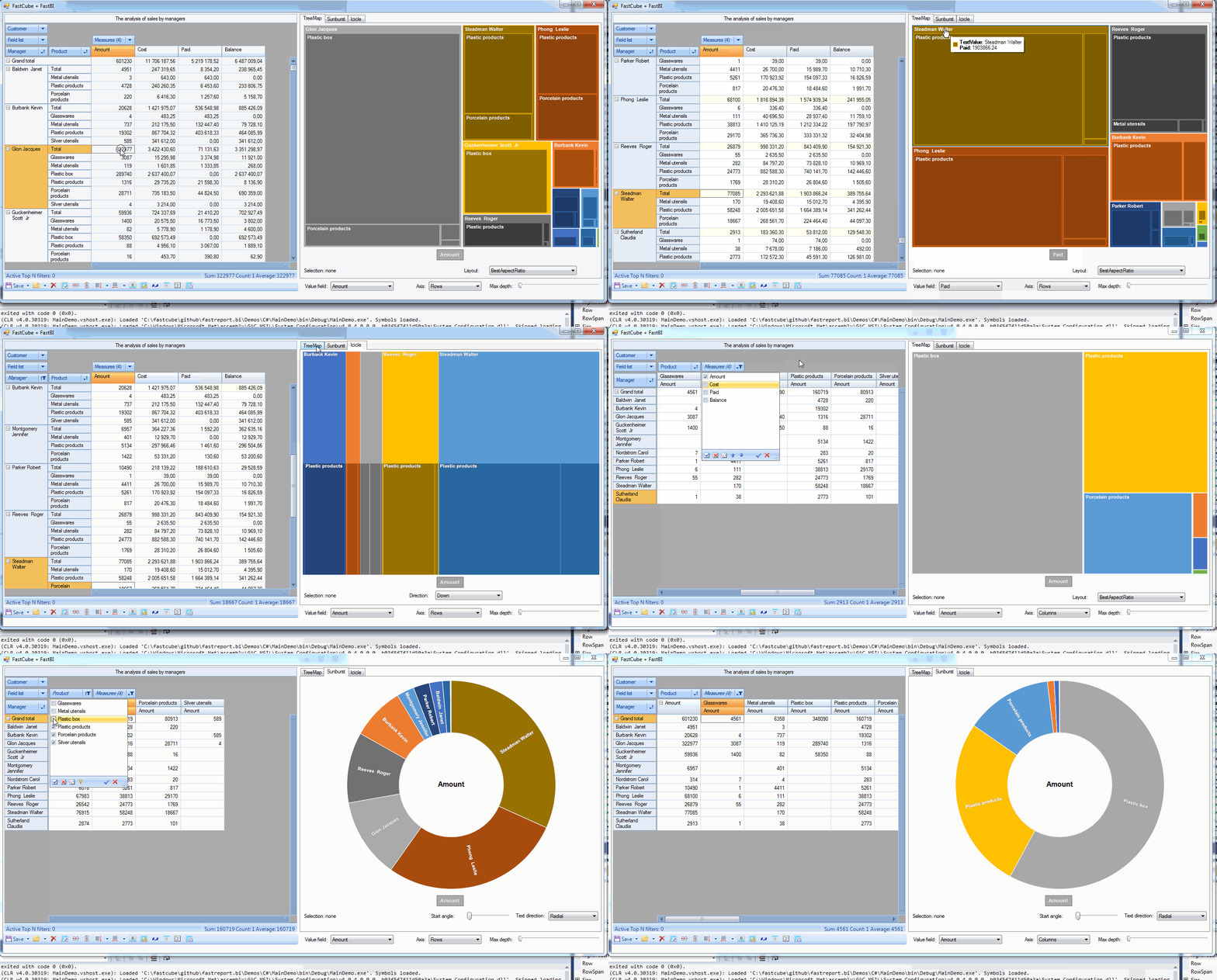
We added FastReport Business Graphics extension. It's a new product for interactive visualization of data from applications.
More about FastReport Business Graphics for .NET
Added ListDataSet component which allows loading data to cube using Windows Forms Data Binding.
It is now possible to load data to Cube using Windows Forms complex Data Binding which is used in standard controls: DataGridView, ListView, and Combobox.
Complex Data Binding loads data through the BindingSource component which acts as a proxy (more info can be found in MSDN).
Here is a small example of loading data from List<>.
1. Declare a ProductInfo class
public class ProductInfo
{
 public String Name { get; set; }
 public String Group { get; set; }
 public int Count { get; set; }
}
2. Create a list of ProductInfo records
List<ProductInfo> CreateProducts()
{
 return new List<ProductInfo> {
 new ProductInfo {Group = "Bakery products", Name = "Ciabatta", Count = 3},
 new ProductInfo {Group = "Bakery products", Name = "Bread", Count = 5},
 new ProductInfo {Group = "Bakery products", Name = "Croissant", Count = 1},

 new ProductInfo {Group = "Alcohol", Name = "Wine", Count = 6},
 new ProductInfo {Group = "Alcohol", Name = "Whiskey", Count = 2},
 new ProductInfo {Group = "Alcohol", Name = "Beer", Count = 5},

 new ProductInfo {Group = "Dairy products", Name = "Yoghurt", Count = 5},
 new ProductInfo {Group = "Dairy products", Name = "Milk", Count = 4}
 };
}
3. Configure cube and slice
private void Form1_Load(object sender, EventArgs e)
{
 // configure data source
 listDataSet1.DataSource = CreateProducts();
 // load data to Cube
 cube1.Active = true;
 // configure Slice
 slice1.YAxisContainer.AddSliceField(slice1.SliceFields.GetFieldByName("Group"));
 slice1.YAxisContainer.AddSliceField(slice1.SliceFields.GetFieldByName("Name"));
 var measure = new FastReport.Olap.Slice.MeasureField(slice1, FastReport.Olap.Types.AggregateFunction.Sum, slice1.SliceFields.GetFieldByName("Count"));
 slice1.MeasuresContainer.AddMeasure(measure);
 slice1.XAxisContainer.AddMeasuresField();
}
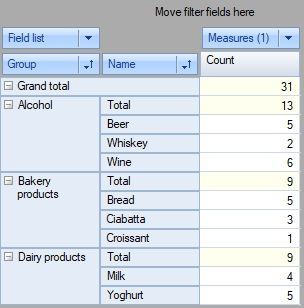
Here is the result:
The full example is located in Demos\C#\DataBindings.
Other changes:
- Added "Copy" menu item to the context menu of XAxisZone and YAxisZone of the SliceGrid component. The menu item copies the caption of the selected node to the clipboard.
- Paste from clipboard operation in a popup list executes search operation
- Double click in the popup filter of a dimension executes SliceGrid positioning to the clicked item
